

User Interface and Its Importance in Website Usability
User interface (UI) is a vital part of a website usability. A user interface will affect if a person decides to stay on your website or not. A bad user interface may cause a website to not even be usable while a good user interface, a user will not even think about. This article will go define what user interface is, ways in which a user interface can be improved and what should be considered when implementing a user interface. This will give readers a good understanding of the importance of a usable website and a good design both visually and structurally.
Overview on User Interface
A user interface can be defined as “the way in which the information on a computer, phone, etc. and instructions on how to use it are arranged on the screen and shown to the user” When thinking about user interface when it comes to usability, you want to consider are the efficiency, learnability, user satisfaction, memorability and errors which your interface may have. The importance of these factors will depend on the purpose of the user interface that you are creating.
Efficiency is how fast a user can complete a task with the UI
Learnability is how quickly a user understands how a system works
Satisfaction shows if a user would be happy to use the interface again in the future.
Difference between user interface and user experience

User experience is the overall satisfaction that a user will have when using a website whereas a user interface is more specific to elements on a page and how they work together to make a website usable. An example of something that would be considered UI and not UX would be mouse hovering. When the user interacts with an element on the page by hovering over it, it will change visually. Research has shown that mouse hovering helps users to reduce steps in which a user must take to get somewhere on a website increasing the usability as the user can complete a task more efficiently which is an important factor in usability.
Importance of Graphic Elements on Usability
A well-designed website will make a site look more attractive to the user and quickly but subtly sends a message to the user.
Graphic Elements on websites will not only make a website look more visually pleasing to the user, but it is also there to help with usability by minimising what the user must remember and to make the site more recognisable to recurring users. (Qu, X. 2022) When creating a site, a designer should consider adding images to menus for example, having an image to match every button in the menu to make it more user friendly because users may not even have to read the text to know where they want to go on the website.
Visual Hierarchy of websites
Visual Hierarchy is how you display the importance of each element on your website. To help with the usability of a site, the most relevant elements of a webpage should be at the top of the page and be easily visible to the user. Sites should follow the F-Shaped pattern, because users typically will look at stuff left to right and top to bottom, when creating a websites user interface, designers should consider this as it will effect the learnability element of usability because if the site if not what the user if familiar with, it could affect the usability of the site.
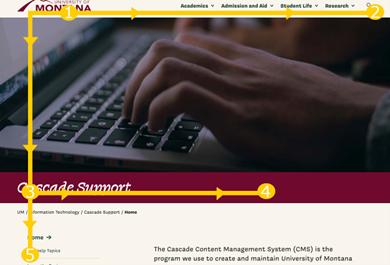
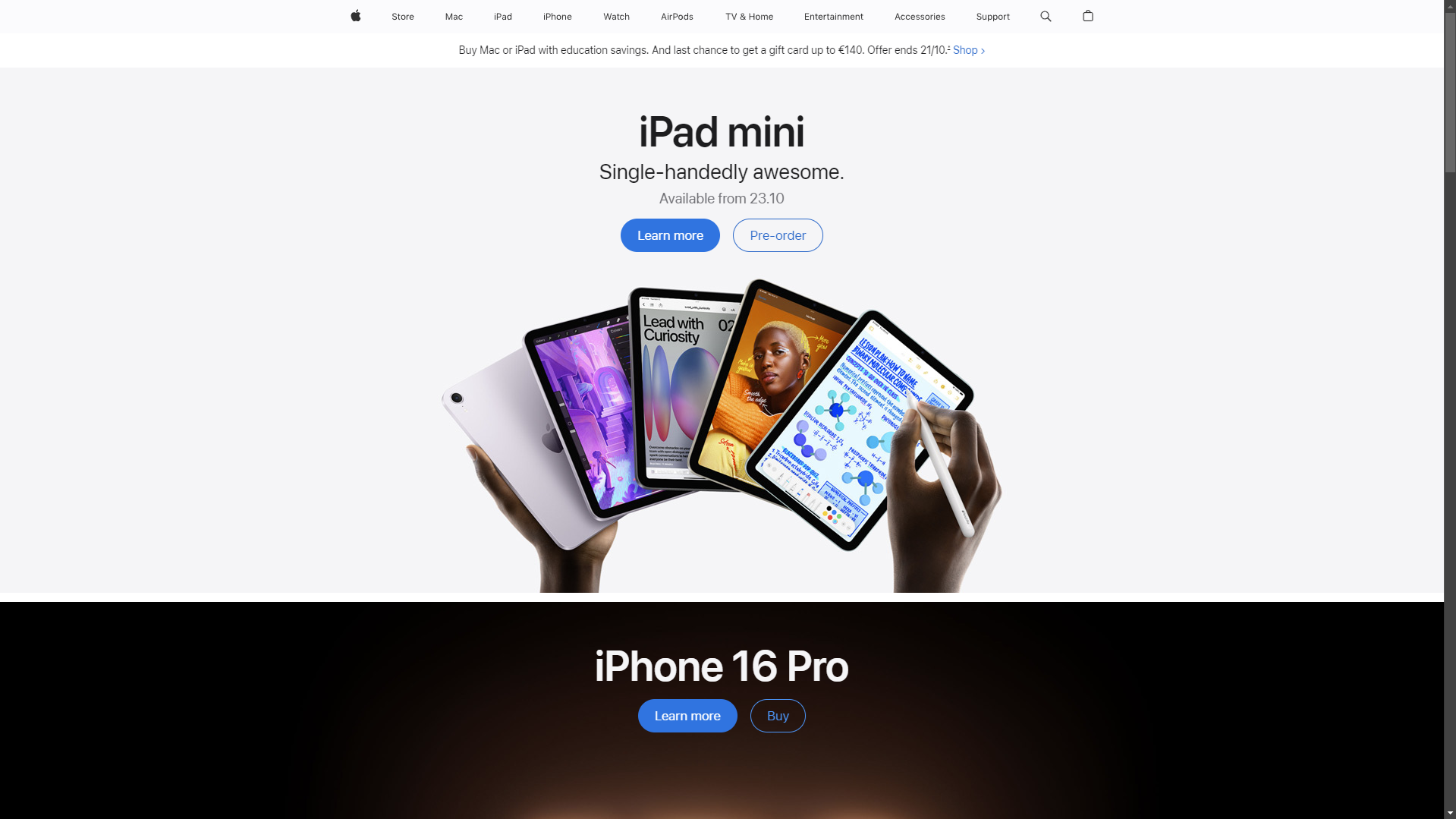
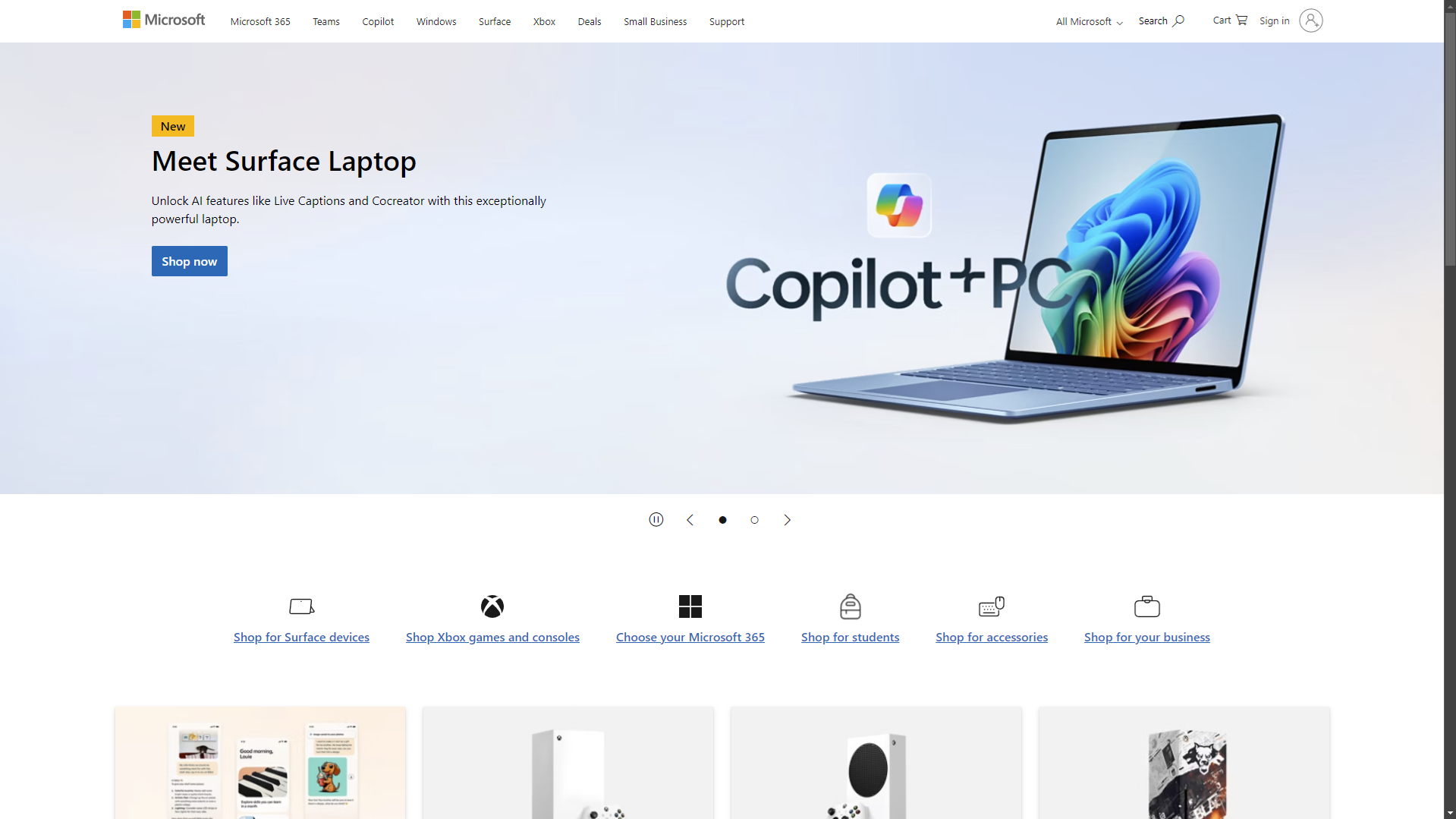
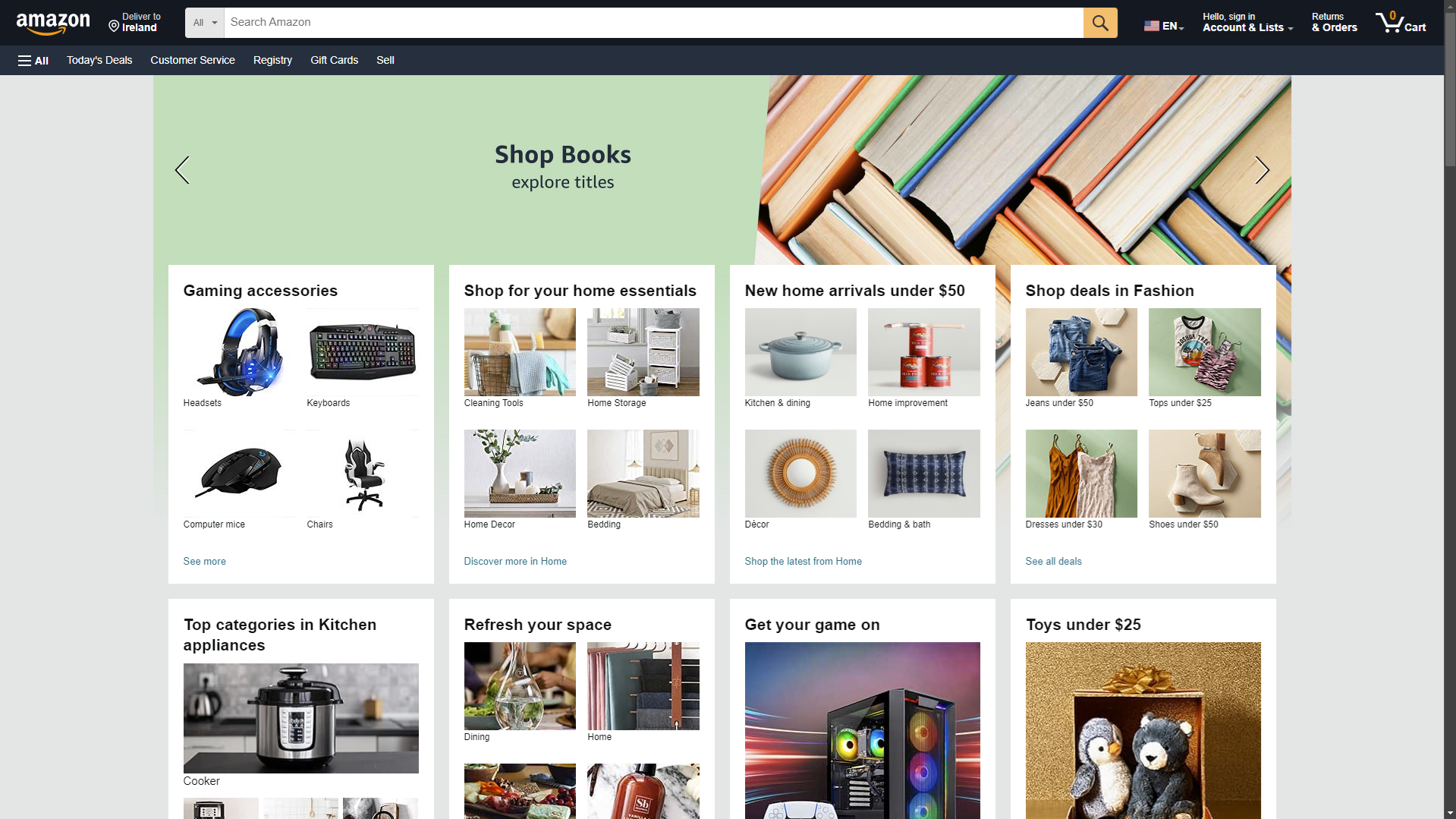
Many successful companies follow the F-shaped pattern with their websites, including Apple, Microsoft and Amazon. They all have their logo in the top left and their menu system at the top of their website with products available for the user to buy as the user scrolls down the page.
Creating a usable UI for different Cultures
When creating a websites UI for a different culture, there may be some elements that the web developer may consider when putting the website together. The colours used may be sacred in some parts of the world for example, Buddhists sacred colour is yellow. This may affect if a user from this culture would use the site if it was used because it may be seen as offensive. Another element to consider is if the region you are creating the UI for reads left to right or right to left. While the F shaped pattern works well for most of the world, some languages read right to left e.g. Arabic, this means that the UI will need to be flipped for countries that read right to left to have a usable interface in these countries.
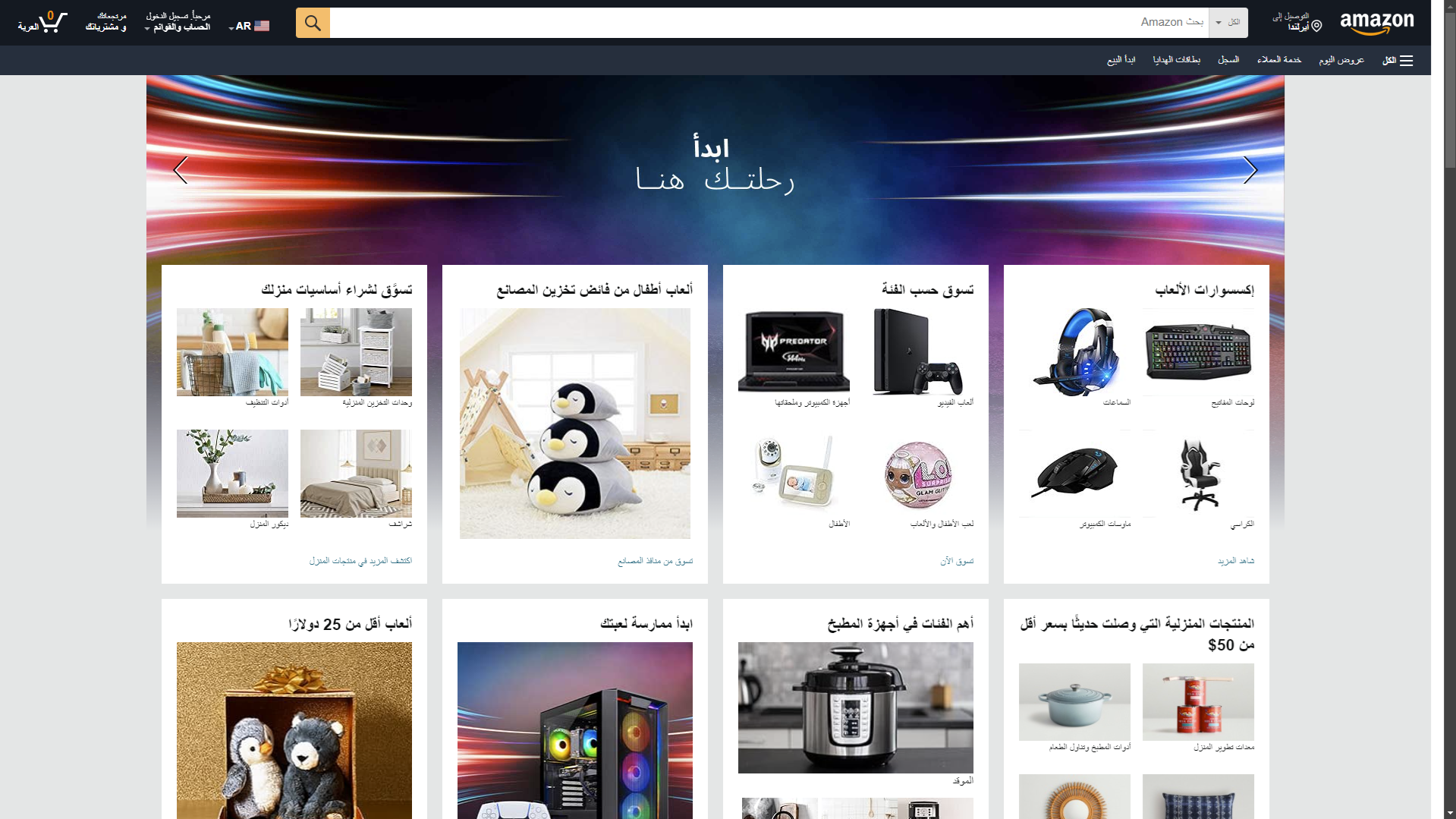
Example of Amazon changing their site for different regions
Conclusion
In conclusion there are various elements to consider when creating a usable user interface for websites whether this be how efficient it is, what you believe are the most important elements to consider or the culture you are creating the user interface for. If there isn’t a well-designed User interface, it will severely affect the usability of the website.